Projection options: creative ways to transform your space
Projection options can feel like kitchen-sink magic when you first explore them. Projection options help you change mood in a room in minutes. Projection options also let you be bold without a long renovation. You can go from plain to stunning with one projector, or you can layer multiple sources for depth. Think of the wall as your main canvas. Think of the window as a chance to surprise people outside. Think of a sheer net as a way to make images float. Think of the TV as your tidy, plug-and-play option. I want to guide you through choices that suit small flats, cosy living rooms and even shop windows. I write in a clear, step-by-step way. You will get ideas you can test quickly. Start small. Use simple files or a streaming device. Check light levels. Use a bright, high-contrast clip for day use. Switch to subtler loops in the evening. Keep cable runs tidy and secure mounts. If you rent, choose non-invasive mounts and paint-safe tape. If you own, consider a semi-permanent ceiling bracket. Keep a checklist: brightness, throw distance, surface colour, and playback method. Think about viewers. Do you want passers-by to notice, or do you want a private, immersive scene? That decision guides projection scale and placement. I will now walk you through each common setup with hands-on tips and real-life tricks to help you pick and install the right kit for your space.
Choosing the right projection style for your scene
Projection options change based on where you want the focus. Projection options on a wall give you a large, dramatic field. Projection options on windows offer intimacy and external visibility. Projection options on nets add a dreamlike, three-dimensional feel. Projection options on TVs keep things neat and familiar. Start by naming the experience you want. Do you want a bold mural or a subtle shimmer? Do you want people outside to see designs on your window, or do you want to keep the scene inside? Match gear to goal. For walls, use a projector with enough lumens and a short or medium throw lens. For windows, check whether the film needs rear projection. For nets, pick a fine, near-transparent fabric and hide the light source. For TV playback, use an HDMI cable or a streaming stick. Also think of scale. A very bright projector on a small wall can feel harsh. A weak projector on a big wall will look faded. Try a small test projection first. Move the projector until the geometry feels right. Use masking or software to crop the image. Keep content in the safe area so faces and details are visible. If you plan frequent changes, pick a fast-loading playback method like a USB stick or a small media player. If you plan scheduled shows, use a simple scheduler app. Small decisions here save time and improve the final result.
Wall and window setups: practical steps that work
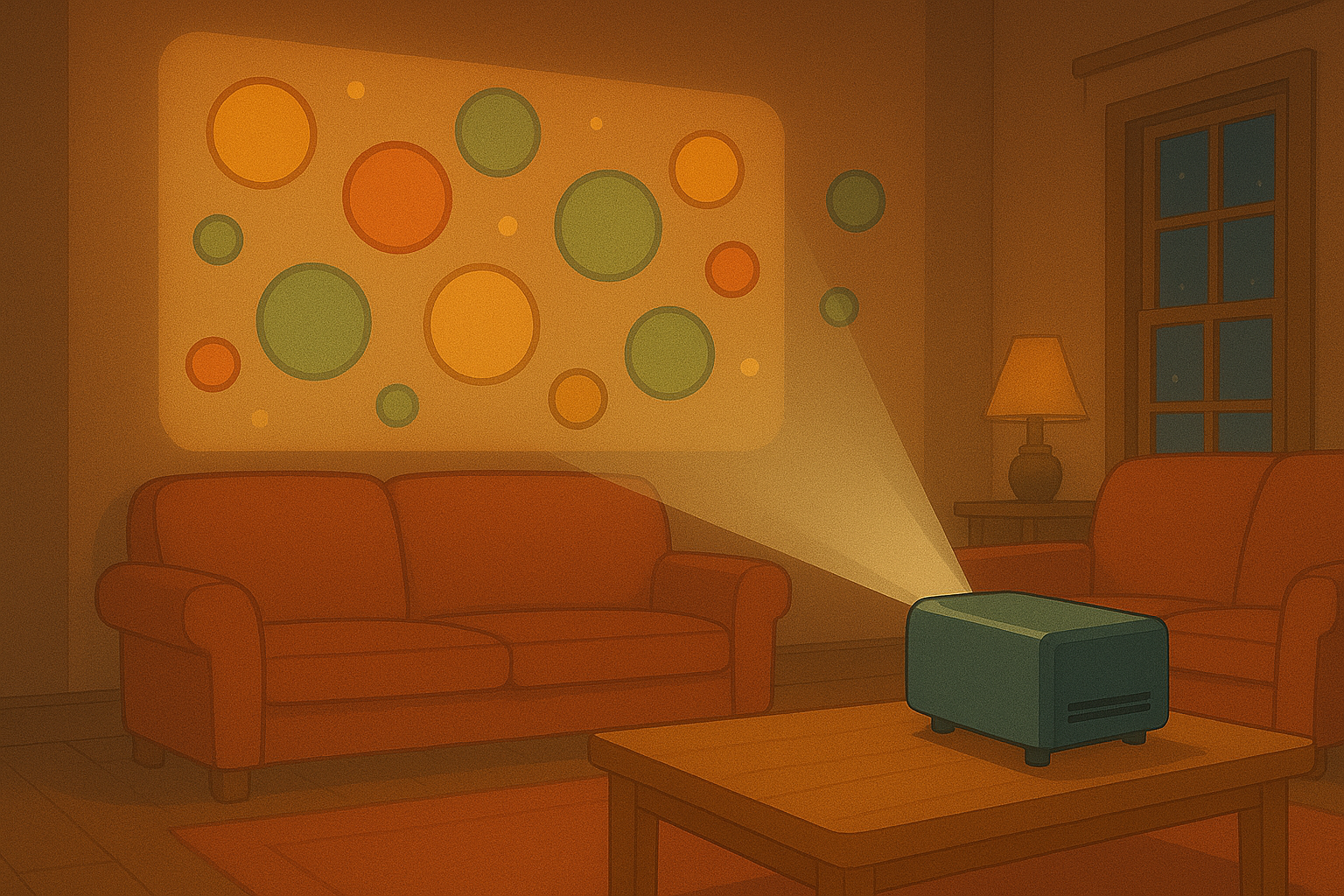
Projection options for walls are straightforward but need attention to surface and light. Projection options for walls are ideal when you want full immersion. Projection options for windows are great when you want to reach people outside and keep a cosy interior. Prepare the surface. Paint the wall in a light, matte colour for the best result. Avoid glossy paints that reflect hotspots. For windows, test a piece of reverse-projection film first. You can stick a sample to the glass and run a short loop from your device. Measure throw distance and angle. Move the projector to avoid keystone distortion. Use keystone correction or lens shift where available. If you mount the projector on a shelf or bracket, secure it with a safety cable. Tidy the power and signal cables with trunking or clipped ties. Keep the projector's fan intake clear. If your room has ambient light, use brighter content with higher contrast. For evening shows, dim the room lights or add soft side lighting to preserve mood. For window work, position the projector inside if you want the picture visible to people outside. For privacy or double-sided interest, consider dual projection with coordinated content on both sides. Consider sound. If you add audio, route speakers so they don't distract neighbours. Test timings and content duration. Short, looping clips work well for casual viewers. Longer, narrative pieces suit a party or a dedicated viewing. Use playlists to rotate themes and keep the display fresh.
Quick fixes and common traps
Projection options often fail on small details. Projection options can suffer from poor focus, too much ambient light, or wrong file formats. Always test focus with the final content. Always try multiple media players if one stutters. Use MP4 H.264 for wide compatibility. Keep an eye on heat. A projector in a tight shelf can overheat and drop brightness. Avoid cheap cables that cut out after a few hours. If you see banding or stuttering, lower resolution or use a wired connection. If the image looks soft on the edge, shift the projector or use lens shift to centre it. If neighbours see the light and complain, aim the projector downwards or add shielding. These fixes are quick and prevent stress on event nights.
Floating nets and TV playback: tricks for special effects
Projection options on nets create depth and magic. Projection options on nets are perfect for a ghostly, layered look. For nets, choose a finely woven fabric with low tension. Hang it from above so it floats in mid-air. Light the net from both sides for a semi-transparent image. Use a projector with a short throw to avoid spilling too much light behind the fabric. Mask the edges so viewers see clean silhouettes. For subtle movement, use soft, slow loops. For dramatic reveals, use timed cues and a moment of darkness before the image appears. For TV-based playback, think of convenience. Projection options on TV are low-effort and easy to control. Use an HDMI stick or the native app. Loop content and use remote control for quick changes. If you want a projector-style look from a TV, choose a screen with low reflections and set the brightness low. Layer the TV with foreground props to add depth. Combine TV and projection for hybrid scenes. For example, a TV can show narration while a net or wall projection adds moving ambience. Synchronise clips with a simple timeline tool or a playlist. Test audio sync carefully. These combinations let you offer both crisp detail and big, immersive motion without heavy installation.
Tips for lasting setups and creative ideas to try
Projection options become part of your space when you plan for them. Projection options can be both temporary and semi-permanent. Projection options are perfect for seasonality, events and daily ambience. Label your cables. Keep spare bulbs or a backup projector if you run public shows. Store your content in organised folders and name files by length and theme. Try themed rotations: a calm loop for mornings, energetic motion at dusk, and soft stars overnight. Use motion-graphics textures for subtle breathing walls. Use a colour script to shift mood over time. For windows, pair projections with subtle exterior lighting to frame the image at night. For nets, add small fans for gentle movement if the net needs to sway. Invite friends to test different distances and angles. Take notes. Small shifts can change the entire feel. If you’re not sure where to start, pick a single wall, buy a mid-range projector and a handful of test clips. Run a weekend of tests. Keep it playful. You will learn fast and refine your taste. If you want help, talk to a supplier about quick demos or rental options. Enjoy the process. Projection options are a fun, flexible way to make spaces sing.
Popular projections